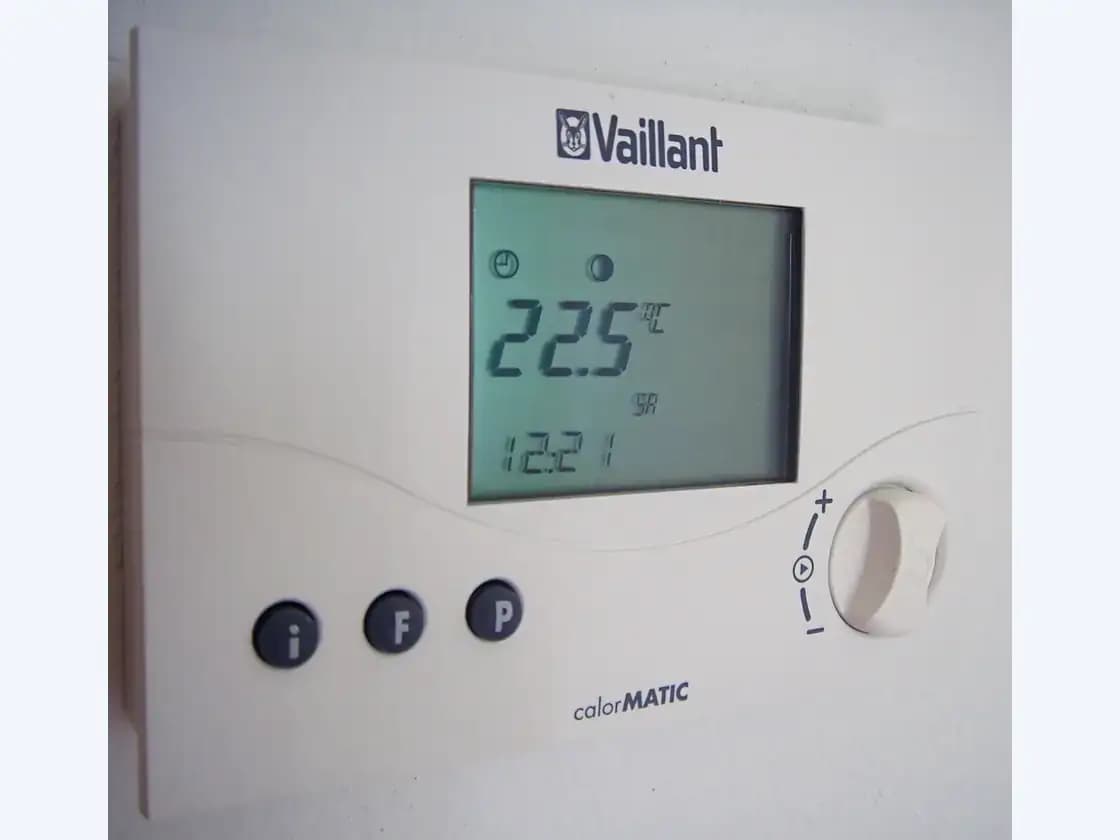
The thermostat reads differently from another thermometer
A thermostat that reads differently from room thermometers can waste energy and affect comfort. Learn what to observe, record, and ask before calling a technician.
Why matching readings matters for comfort and cost
When a thermostat and a separate thermometer disagree, your heating or cooling system may run longer than necessary or shut off before the space reaches true comfort. The Department of Energy notes that setting back thermostats during sleep or away periods can reduce heating and cooling costs, but those savings depend on the thermostat reading the actual room temperature correctly. A consistent offset of even a few degrees can shift run times enough to erase expected savings over a season. Understanding whether the gap is real or an artifact of placement helps you decide if the issue warrants professional attention. ENERGY STAR guidance on maintenance checkups includes verifying thermostat settings as a standard step, suggesting this is a routine concern technicians encounter.
Supporting sources: U.S. Department of Energy — consumer guide to home heating and cooling, ENERGY STAR — HVAC maintenance checklist
How to compare readings safely and fairly
Before concluding your thermostat is faulty, eliminate common variables. Place the comparison thermometer on the same wall, at the same height, and away from direct sunlight, lamps, appliances, or supply vents. Wait at least thirty minutes after the HVAC system cycles off so forced air does not skew either device. Record the date, time, outdoor temperature, and whether sun is hitting either location. Check again at a different time of day and after the system has run. A single snapshot proves little; a log of paired readings across conditions reveals whether the offset is consistent, intermittent, or directional. If the gap only appears during heating or only during cooling, that pattern matters for the technician.
Supporting sources: U.S. Department of Energy — consumer guide to home heating and cooling
What your records tell a technician
Your log shapes the service visit. A consistent offset across all conditions suggests calibration or sensor drift. A gap that appears only when the system runs points toward airflow, duct leakage, or equipment location effects. The Department of Energy emphasizes that improperly connected or crushed ductwork can restrict flow so conditioned air never reaches its destination, which could mean the thermostat location sees a different temperature than the room where you placed your thermometer. ENERGY STAR installation guidance adds that poor system airflow reduces efficiency and comfort, and that contractors should verify airflow meets manufacturer specifications. When you hand over detailed observations, the technician can focus on whether the issue is the control, the distribution, or the sensing environment.
| Your observation | What to note | Useful question for the technician |
|---|---|---|
| Consistent offset all day | Same degree difference, heating or cooling | Could this be calibration, or should we verify sensor placement? |
| Gap only during system runtime | Difference appears after blower starts, fades later | Can we check whether airflow or duct leakage affects the thermostat location? |
| Reading shifts with sun or time of day | Morning matches, afternoon diverges | Is the thermostat in a location that needs relocation or shielding? |
| Multiple rooms disagree with thermostat | Portable thermometer shows variation across spaces | Should we evaluate whether ductwork delivers air evenly? |
Supporting sources: U.S. Department of Energy — consumer guide to home heating and cooling, ENERGY STAR — HVAC quality installation
Safe checks and what to avoid
You can inspect and clean around the thermostat cover with the system off, but do not open energized electrical components or adjust wiring. Verify that the thermostat is level if it is an older mechanical model; tilt affects some designs. Replace batteries in wireless or battery-backed units according to the manufacturer schedule. Check that vents near the thermostat are open and unblocked, since the Department of Energy lists keeping air vents clean and unblocked as a basic efficiency step. Do not attempt to recharge refrigerant, adjust gas connections, or open the furnace or air handler enclosure. Those tasks belong to qualified technicians. If you smell gas, see sparks, or suspect carbon monoxide, leave the home and contact emergency services.
Supporting sources: U.S. Department of Energy — consumer guide to home heating and cooling, ENERGY STAR — HVAC maintenance checklist
Preparing for the service conversation
Gather your reading log, the thermostat model number, and the approximate age of the HVAC equipment. Note any recent changes: new windows, added insulation, furniture moved near the thermostat, or previous service visits. The Department of Energy advises that system requirements depend on house size, insulation, window performance, and local climate, so changes to any of those factors can alter how the thermostat interacts with the space. ENERGY STAR recommends annual pre-season checkups and suggests timing them before peak contractor busy seasons. When scheduling, describe the symptom as a temperature discrepancy rather than requesting a specific repair; this leaves room for the technician to investigate calibration, placement, airflow, or equipment sizing as appropriate. Ask whether the visit will include checking thermostat settings, electrical connections, and system airflow, since those items appear on standard maintenance checklists.
Supporting sources: U.S. Department of Energy — consumer guide to home heating and cooling, ENERGY STAR — HVAC maintenance checklist, ENERGY STAR — HVAC quality installation
Action checklist before calling
Complete these steps to make the service visit productive. Place both devices side-by-side in a shaded interior location. Record paired readings at least twice daily for three days, noting HVAC activity and sun exposure. Check and replace thermostat batteries if applicable. Verify nearby vents are open and unobstructed. Locate your thermostat model number and HVAC equipment age. List any home improvements since installation. Schedule pre-season when possible, and bring your log to the appointment. Ask the technician to explain what they checked and whether relocation, recalibration, or duct evaluation is warranted. Request any recommended follow-up in writing.
Supporting sources: U.S. Department of Energy — consumer guide to home heating and cooling, ENERGY STAR — HVAC maintenance checklist
Questions homeowners ask
How long should I wait between readings for a fair comparison?
Wait at least thirty minutes after the HVAC system cycles off before comparing. Forced air and residual heat from equipment can temporarily skew either device. Multiple comparisons across different times of day yield more useful patterns than a single check.
Can I recalibrate the thermostat myself?
Some programmable and smart thermostats offer a software offset in their settings menu. Mechanical models may have a small adjustment lever inside, but opening the cover risks disturbing wiring. If you are uncertain, note the offset and let the technician verify safely.
Why does the gap only show up in summer?
Cooling airflow, solar heat gain, and humidity can affect how temperature distributes through a room. If your log shows seasonal variation, mention this when scheduling. The technician can check whether airflow, duct leakage, or thermostat location explains the pattern.
Will moving the thermostat fix the problem?
Relocation sometimes helps if the current spot is near a heat source, in direct sun, or affected by supply airflow. However, moving the device requires wiring work and should be done by a qualified technician who can also evaluate whether the original location was chosen according to best practices.
Sources & verification
LocalFoundry checked these primary resources to support the statements cited above. Selection of a source does not imply its endorsement of LocalFoundry or a service provider.
- U.S. Department of Energy — consumer guide to home heating and cooling · Source checked October 27, 2026
- ENERGY STAR — HVAC maintenance checklist · Source checked October 27, 2026
- ENERGY STAR — HVAC quality installation · Source checked October 27, 2026
Confirm current requirements with the authority or equipment manufacturer for your property. This is general homeowner guidance, not a diagnosis, engineering design or promise of service.